Thursday, November 25, 2010

Canon Selphy CP790 Digital Photo Printer


Canon photo printers are typically excellent, and the Selphy CP790 digital photo printer--the high end of the Selphy line--is no exception. It's also at the high end in terms of price for a photo printer, and worth it.

That is not just because the printed photo quality is excellent, or that it's very easy to set up and use, but also because it's the coolest-looking and, perhaps with the exception of the Polaroid Pogo, the most fun, photo printer I have tried.

This top-of-the-line Selphy photo printer compares price-wise with the Sony DPP-FP97 Digital Photo Printer, which puts it between $170-200. The Canon Selphy CP790 is the most luxurious of the Selphy line of compact photo printers and while it doesn't particularly excel past the other Selphy I've tried, it's still worth the extra money. There's something so audacious about a big green bucket that it's hard not to like it.

The Selphy is a dye-sublimation printer--it uses a proprietary ink ribbon and special paper that allows printing from a wide variety of media. A color 4x6 photo took just over one minute to print. Because it's a dye-sublimation printer, the photo comes out of the printer and is pulled back in several times to add new colors to the print. Photos print out with astoundingly rich and deep colors, and were as sharp as any printed photos I have ever seen.

Basic photo-editing features such as red-eye removal, and fun stuff such as frames and calendars, are easy to use via the printer itself--since it is meant to be portable, everything can be done without connecting to a PC.

Since it's meant to be portable (I mean, it's a big green plastic bucket!), it would be nice if Canon would include the battery and the Bluetooth adapter. If you want to go truly portable, you will need to spend another $79.99 for the battery and $49.99 for the Bluetooth adapter. Ink and paper come together; on Canon's site, 36 sheets of paper plus ink are $11.99 (4x6).

Tuesday, November 16, 2010

About Samsung scx 4500w


Long on design and short on features, the Sam-sung SCX-4500 multifunction laser printer is best suited for light home or office use. Unless you're willing to pay for a showcase printer your money will buy you more features and faster task speeds elsewhere.

The Good:
Sleek, sophisticated design; great print and color scan quality.

The Bad: Light feature set for the price; gray scale scan needs to be improved; on the slow side with task speeds; output tray mars the all-black aesthetic; lack of an inboard LCD means you will need to turn to your PC for advanced tasks.

Sam-sung SCX-4500W mufti-function printer:


The ultra-compact Sam sung SCX-4500W wireless laser mulch-function printer is known to be one of the smallest network-ready laser printer/copier/color scanners in the world. The Sam-sung SCX-4500W printer has a high-style glossy piano black finish that adds a touch of class to any environment.

Wednesday, November 10, 2010

HP Pro 8000 Printers


Hewlett Packard has been a name brand that people have trusted and relied upon for quality products and helpful service for a very long time.

The Hp Office jet Pro 8000 lives up to the standards that have been set by offering an energy saving, high performance product at a price anyone can afford. One of the things that people are looking for who do a lot of printing is the cost per page.

This basically means that you are spending less ink to get the same job done which saves a lot on luxurious ink cartridges. The Hp Officejet Pro 8000 offers 50% lower cost per page and also used 50% less energy which out does the majority of other printers on today’s market when it comes to saving a little extra money.

The Hp Office jet Pro 8000 is rated as one of our top products because it not only offers the average user high quality and fast printing but it also saves them time and money in the long run. One of the key factors in buying a printer now days is the quality of prints you’re going to get from it.

Those who plan on using their printer for more than just printing black and white documents are going to want a printer with high resolution and quality pictures. The Hp Office jet Pro 8000 has an amazing 4800 x 1200 dpi resolution so the clarity and quality of pictures on documents or photos are going to shine through every time.

You can even print extra long documents, reports or pictures that are longer than your typical 8.5 x 11 inch page by going up to 8.5 x 14 inch long. The Pro 8000 has a paper tray that can hold up to 500 sheets of standard paper so the annoying task of always loading new paper will be a thing of the past.


Summary:

The Hp Office jet Pro 8000 is a well rounded high quality printer that will save you not only money but also energy and time for all your printing needs. Print hundred page documents or laser quality products with just one printer.

Overall the Pro 8000 makes a name for itself with everything it is able to accomplish. The only real drawback is the lack of SD or memory card slot which for some is a must have when talking about taking pictures from a camera directly to the printer. If you don’t mind the lack of a card slot than the Hp Office jet Pro 8000 is the best band for the buck and amazing picture quality every time.

Thursday, November 4, 2010

CLP 315 Printers


Samsung's USB-only CLP-315 is one of our all-time favorite color laser printers, but it's about to go off the market. However, the CLP-315w is set to be around for a while longer. It's a particularly compact device, but the downside of this is it’s.

Vibrant, professional color is now within your reach. The compact, built-in wireless SAMSUNG CLP-315W can easily fit in small places.

This stylish printer also features a black control panel and delivers dynamite color at 4ppm with sharp laser text at 17 ppm. And its wireless connectivity means no unsightly cords to deal with.

The Sam sung CLP-315W is a fancy looking wireless laser printer with a clean design and small footprint, but the output quality is unacceptable and the blisteringly slow speeds will have you searching for other options.

Tuesday, October 26, 2010

Uses of CLP 315


The Sam sung CLP-315W is a fancy looking wireless laser printer with a clean design and small footprint, but the output quality is unacceptable and the blisteringly slow speeds will have you searching for other options.

The Sam sung CLP-315W color laser printer is considered by many to be one of the better for sale in its price range, which is about £145.00. Having said that, is it that good a machine? It's a "network ready" transportable printer, and this usually goes over well with the wider public.

This device likewise prints at average speeds, up to four pages a minute for color prints and 17 pages a minute for monochrome, however there are lots of other printers which can print significantly faster.

According to the manufacturer, the machine weighs a healthy 30 pounds, so it's not much of a "portable" device. Nevertheless, it's pretty small so that it sits well on an unused space on a desktop.

Additionally, according to the manufacturer, the networking is compliant with the Wi-Fi 802.11b/g standard and also the 10/100 Ethernet standards, that have to help make the set up easy using the typical Ethernet/LAN cable or utilizing a wireless link suitable for any wireless router.

An instruction manual comes with the unit for "quick set up" in addition to guidelines for anything else required, such as networking.

Monday, October 11, 2010

Uses of CLP 660ND printers


Imagine a color laser printer that maximizes output and reduces the total cost of operation.

The CLP-660ND reduce overall operational costs by delivering a low cost per page and effectiveness with the built-in duplex feature for reducing paper consumption.

And with fast printing speeds and industry platform compatibility with PCL emulation you can keep your entire business running smoothly.

Batch printing:

Save valuable network, printer and PC resources with the Color/Mono Batch Printing feature.

It allows you to print both color and black and white documents in one print job. Normally, to get color and mono copies of the same document, you would need to send two separate print jobs.

SAMSUNG's batch printing feature lets you send one print job by selecting the number of color and mono printouts thereby reducing time and effort.

Web Admin Service is a web-based fleet management solution that allows IT professionals to manage the network without leaving their desks.

Configure printers, check device status, perform remote diagnostics, receive alerts when possible problems occur and change settings securely from a remote location.

Efficient toner system:

SAMSUNG reduce the number of supplies necessary for the CLP-610ND/660ND compared to alternative printers.

Many color laser printers require 4 color cartridges, in addition to a drum, and a waste toner box leading to more periodic replacement and downtime.

SAMSUNG's innovative design requires only 4 color cartridges, making it easier for you to maintain your color laser printer.

Tuesday, September 28, 2010

About Epson Artisan 810


The Epson Artisan 810 is at the high end of all-in-one line; but for the price, it delivers a great value. It prints very quickly and photos in particular come out with startling quality and richness.

It's got all the handy bells and whistles you could hope for, from built-in wireless (very easily configured) to automatic depleting. And the printer's enormous (7.8-inch) and tilt able touch screen makes it a snap to use.

It may be on the expensive side, but I still think this printer is a best buy.
While comparing other printers it will prints quickly, and view of the image is so attractive and colorfully.

There are a lot of good things to describe about the Epson Artisan 810 all-in-one color printer, while starting with setup.

It includes the time spent configuring in wireless networking. Its great advantage is having huge touch screen.

This printer was easy to set up and looks really very nice. The size of the paper is very important in this printer.

Thursday, September 16, 2010

Epson V700 Photo Scanner


The Epson Perfection V700 Photo represents a get through in flatbed scanning by offering the highest optical scan declaration (6400 dpi) available for photo studio applications.

This pricey Epson photo scanner uses a Dual Lens System, where the scanner automatically chooses from two lenses to give the best scan resolution.

It also features easy ways to digitally remove dirt and scratches from film to make retouching simpler.

With 48-bit color depth, there’s no question that you’ll get rich images.
The unit can hold 12 35-mm slides or 24 35-mm film strips.

Epson suggested retail price is $549.99, and for that price it’s not surprising that it makes an effort to provide some all-purpose scanning capability, with features like optical character recognition.

Epson photo scanners typically get great reviews, so it may be worth the investment.
This scanner led a long life, because of having a dual lens.

It will print a photo very best clarity and nature.

This powerful performer gives you the industries most important in scanner technologies, all right at your fingertips.

Thursday, September 9, 2010

About Inkjet printers


Ink jet printers are the most common printer used today in the home. They are relatively low cost and are easy to use and maintain.

Ink jet printers are the most common printer used today in the home. They are relatively low cost and are easy to use and maintain.

Ink jet printers are also much quieter than the dot matrix style printers they were designed to replace.

Ink jet printers offer high quality high resolution printing. It is possible to produce your own photo quality prints right at home with your ink jet printer.

Typically all you need is photo paper and you’re ready to go.

Ink jet printers don’t require any warm up time, so the printer is always ready to print. Many ink cartridges can be refilled by the consumer, which is considerably cheaper than buying new ink cartridges.

Ink cartridges are usually very easy to remove and replace.

They are usually located behind a panel on the front of the printer and do not require any tools for removal.

Ink jet printers have one of the lowest cost-per-page ratings too, making it easier and cheaper to print your own documents and photos at home, rather than taking them to Kinko’s.

In this site, you'll find articles on buying ink jet printers, news stories and complete reviews on ink jet printers that will help you make an informed decision on which desktop is right for you.

What to Look for in an Ink jet Printer:

There are many factors to consider when looking for an ink jet printer.

It is important to remember that any printer will cost more than its initial cost over time.

Depending on how often you print, you will need to replace the ink cartridges periodically.

This is an important consideration in purchasing an ink jet printer.

Some printers will seem to cost very little, while the ink cartridges can cost as much as the printer itself for a new set.

Monday, August 30, 2010

The NewPinnacle Pro901

Like others in Lexmark's new line of printers, the Pinnacle Pro901 is a good three-in-one printer that offers a large touchscreen that can be customized online with applications tailored to meet your exact printing, copying, or scanning needs.

I did run into a few issues getting some of them to work properly, however.

The printer is not particularly fast but quality is very good, in particular photos, which looked even better than from some dedicated photo printers.

Make sure you use inkjet paper, as cheap copy paper will look saturated and become limp.
We can easily handle this printer at all times.

This printer reviwed slow but very convinient than other printers.

The view of the image is very clear.

Tuesday, August 10, 2010

New Three Artisan All-in-One Printers


The Epsom Artisan 810 all-in-one has been at the top of my lists for quite some time. Now, Epson has released three new additions to the Artisan line:

1. The Artisan 835,

2. Artisan 725,

3. Artisan 725 Arctic Edition (it's all white).


All three offer fast photo-printing speeds, wireless printing with WiFi n, and wireless printing via iPhone, as well as automatic duplex printing.

The 835 adds a fax, 7.8-inch smart-touch panel, and an automatic document feeder.

Plus, it's all white, so it'll match your decor, should you have lots of Apple products, or perhaps live in Ice Station Zebra.

Its photo printing view was so clear and attractive.

Very high clarity and having a high speed capacity.

Now a days most of the printers are arriving everyday. But the quality and easiness of the amount are very important to live a printers long in a market.

Monday, July 26, 2010

About 123 Print

Anyone who spends any time at all on social networks like Face book has seen, and probably used, the functions of Liking something to it give a vote of confidence and follow along with it and disliking it to give it a thumbs down.
Turning to some of the very products they make every day, the crew at 123Print created labels and rubber stamps inspired by the Like and Dislike buttons and icons that have taken over the social networks.

Originally created for and used by a few social diehards at 123Print, the idea behind the Like and Dislike stamps and labels spread throughout the company and now 123Print has figured out a way to share the Like and Dislike love with the world in a way that won’t break the bank for consumers.

“In the middle of going between serious work and serious social network time one evening it hit me that it would be really cool to be able to say I liked or disliked something that was beyond the social network” said Peter Beckman, Senior Director of User Experience (and chief nerd in residence) at 123Print.com.


“So I created the designs, uploaded them to our self-inking stamps and labels and within a day the office was all over them and they were all over the office. Besides the obvious side effects of dealing with the angry maintenance guys, we all thought these were just too fun to keep to ourselves.”

The Like and Dislike rubber stamps are high-quality, self-contained, self-inking stamps like all of 123Print’s Mini Address Stamps and feature blue ink for Like and red ink for Dislike.

Labels come in rolls of 500 just like 123Print’s address labels; printed in blue and black for Like and red and black for Dislike. Both are compact and easily portable to allow on-the-go, real-world liking and disliking.

The products can be viewed and ordered from 123Print online at www.123Print.com/Like-Dislike.
As an added bonus to celebrate the roll out of the new stamps and labels, 123Print is offering them free of charge except for shipping while supplies last through July 31, 2010 when the discount code LD Free is entered in the shopping cart.

For further information about 123Print and its products including new Like and Dislike stamps and labels, or to arrange for an interview, photos or samples, contact Rich Scottie.

About 123Print.com 123Print.com is one of the web’s fastest-growing resources for custom-printed, full-color business cards, postcards, marketing materials, personalized business stationery, invitations and more.

Featuring professionally-designed templates and intuitive online design tools; 123Print has helped hundreds of thousands of businesses and individuals achieve success by expressing their uniqueness with easy-to-create, budget-friendly, high-quality, on-demand digital printing.

Tuesday, July 13, 2010

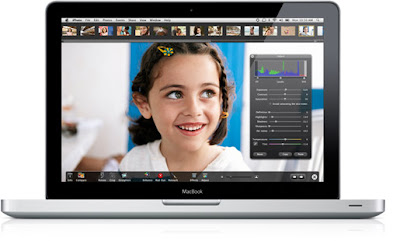
Turn more snapshots into great photos.


Iphoto gives you everything you need to fix your photos.

Remove red-eye with a click.

Adjust exposure, brightness, and contrast.

Crop to frame your subject.

If you don’t know where to begin, click the Enhance tool and watch iPhoto automatically fix bright or dull photos.

Then try a few new actions.

If you want to make the colors in your photos pop without affecting skin tones, use the Saturation slider and click “Avoid saturating skin tones.”

To improve clarity and advance detail, experiment with the Definition slider.

Or retouch over solid edges with the Retouch brush.

Its new Detect Edges setting prevents blurring of detail as you paint out spots and blemishes.

Tuesday, July 6, 2010

HP Introduces all-in-one printer


Hewlett-Packard (HP) has come up with an all-in-one printer, e-All-in-One D110a, the first of its e-mail capable printers.

The e-All-in-One D110a has the feature of printing documents that are sent directly to its unique e-mail address.

This characteristic of the printer lets iPads and other devices without native printing support or even USB, send images to the color inkjet..

The printer allows printing photos and documents and making copies in the absence of a PC. You can also scan snapshots to make reprints. It comes with Photo Creations software and provides resistance from smudging and photos that dry immediately.

One can directly print items from the Web using the TouchSmart frame. The printer also has integrated wireless connectivity that allows printing and sharing from multiple PCs. The multifunction printer scans at up to 1200 DPI and copies at up to 29 pages per minute.

With all the unique features attached to it, the printer certainly gives an edging to the way we print.

This HP printer is easy to handle. The HP printer having highly integrated parts with working long time.The Image View of the HP printer is kindly very attractive to the users.

Friday, June 25, 2010

Canon Inkjet Printer excellent for photos

According to a review by PC World, though the inkjet printer is not the cheapest to purchase, it has several strong points, including the quality of the photos printed, the speed in which this is completed and the cost of replacing ink cartridges.

When it came to using black ink to print text on plain paper, the news provider revealed that it is possible to achieve this at a good rate, with 9.8 pages able to be printed each minute.

On the other hand, regardless of the standard of paper inserted into the machine, no problems in terms of print quality were noted, with text samples closely resembling the original item.

Moreover, users could expect to get 570 pages from a black ink cartridge, with this increasing to 1,075 pages when using yellow ink.

There are also separate ink tanks for cyan and magenta, while a fifth ink tray holds a clear coating that sprays over images printed on plain paper.

Wednesday, June 23, 2010

Tips for printing on HP Brochure and Flyer Paper

HP Brochure and Flyer paper is thicker than regular paper and is designed for double-sided printing. The paper produces excellent print quality both in full color and black and white and it is great for greeting cards and durable craft projects.
  • HP Brochure and Flyer paper comes in11" x 17" (glossy) and 8.5" x 11" (matte or glossy).
  • Tri-fold is also available which is perfect for brochures.
  • Use only manual two-sided printing with this heavy-weight paper, as it is too thick to go through an automatic duplexer.
HP Brochure and Flyer paper is the best choice to make a durable year-at-a-glance calendar that will last from January to December.

Tuesday, June 22, 2010

HP to turn your printer into an advertising device

Hewlett-Packard publicized a new line of Web-connected printers , at Internet Week 2010 last week, that allows users to access their data through the cloud and print Web content from any device by means of an assigned e-mail address.

The service does away with printer drivers and even has a new scheduling feature that permits for timed delivery of content from news outlets like Yahoo and MSNBC, but there's a catch. Yahoo announced a pilot program this week with HP that will also provide users with localized, targeted ads to go along with the new printing interface.

Since the new printers need access to an Internet router to glean content, the associated IP addresses will be used by Yahoo's advertising network to gain valuable user information for delivering more relevant advertisements for frequent users. There's also talk of targeted ads based on user activity, which raises all sorts of new questions about online privacy.

In reference to early customer feedback on printer-based advertisements, ComputerWorld reported that Stephen Nigro, senior vice president of HP's Imaging and Printing Group, had this to say: "Part of our belief is you're used to it. You're used to seeing things with ads."

Monday, June 21, 2010

Clear ideas printing pages

The printer’s used at home; residential and small offices mainly comprise inkjets and certain entry level laser printers. Whereas the worldwide recession, paperless brouhaha and elevated cost of ink and cartridge price did effect limitations for printer vendors last year, but still inkjet flatbed multi-function printers registered 25% growth, whereas due to increased require of multifunction devices single function inkjet printers declined by 16% in year 2009 year-on-year. The total inkjet sale was up from 1.11 million units in 2008 to 1.14 million units with 3% development.

It’s not only the children using printers for their holiday homework or adults with it for important documents, there are other trends alternative up too. The civilization of digital cameras might be rising at a fast pace in India, but photo printing at home is still awaiting a kick-start as people favor to get the bulk printed at studios. On the different, maintaining a digital album on the Internet is more suitable than something else for many youngsters and computer literates.

Friday, June 18, 2010

Brands of Poster Printing

Can we consider poster printing as a type of art and science? Well, when you print posters, you utilize creative visual techniques to make it look good-looking. You use your creative skills in conceptualizing and designing the substance. On the additional hand, there are scientific considerations when you create your posters. First, you have to ensure on the societal background and review on the psychological impact and relevance of the poster. These points are confirmation that poster printing is both art and science.

Other than being alert of this characteristic of print posters, you also require to recognize common layouts that are successful in communicating with your target customers. There are three types of posters that are being utilized in the advertisement business today. They are the required Poster, Streamer Poster, Framing Poster and article/Row Poster.

Thursday, June 10, 2010

Improved latest digital direct to printing

Populace uses the latest digital direct-to-garment technology. This is the identical technology, apparatus and ink used by companies such as Zazzle and Cafe Press. It has established to be the perfect wedding for short run, full-color images. In fact, the feature is much improved than screen printing and the wash ability is excellent. The owners of Print community were actually concerned with the development of the first direct-to-garment (often called DTG) laser printer and were instrumental in early machine and ink testing.